
Join the KlipLoft TestFlight
Get KlipLoft for iPhone and iPad before it reaches the App Store. Tell us who you are, and we’ll send you an invite.
Check your request
Thanks, friend! Request received.
The KlipLoft team approves every invite by hand. Once yours is approved, Apple emails it to your Apple Account.
Pending approval-
Watch for an email from Apple
The subject is
Ron Erez has invited you to test KlipLoft.
Not in your inbox? Check Spam or Junk. -
Install TestFlight
Apple’s free app for trying betas. Get it on the iPhone or iPad you’ll test on.
 TestFlight on the App Store
-
Open the email and tap View in TestFlight
Do it on that iPhone or iPad. TestFlight opens: tap Accept, then Install, and KlipLoft is on your Home Screen.
AppleTestFlight · to you
Ron Erez has invited you to test KlipLoft.
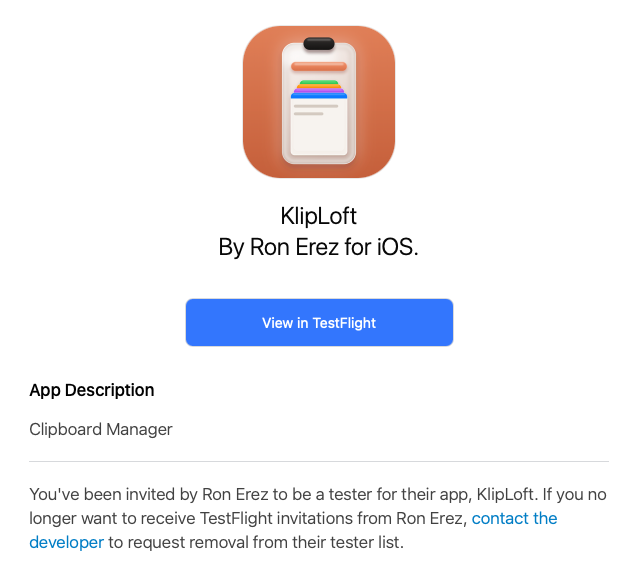 Tap here on your iPhone
One kind request: tell us what you think
You’re helping shape KlipLoft. Anything you notice, big or small, helps: in TestFlight, open KlipLoft and tap Send Beta Feedback, or take a screenshot in the app and share it to TestFlight.