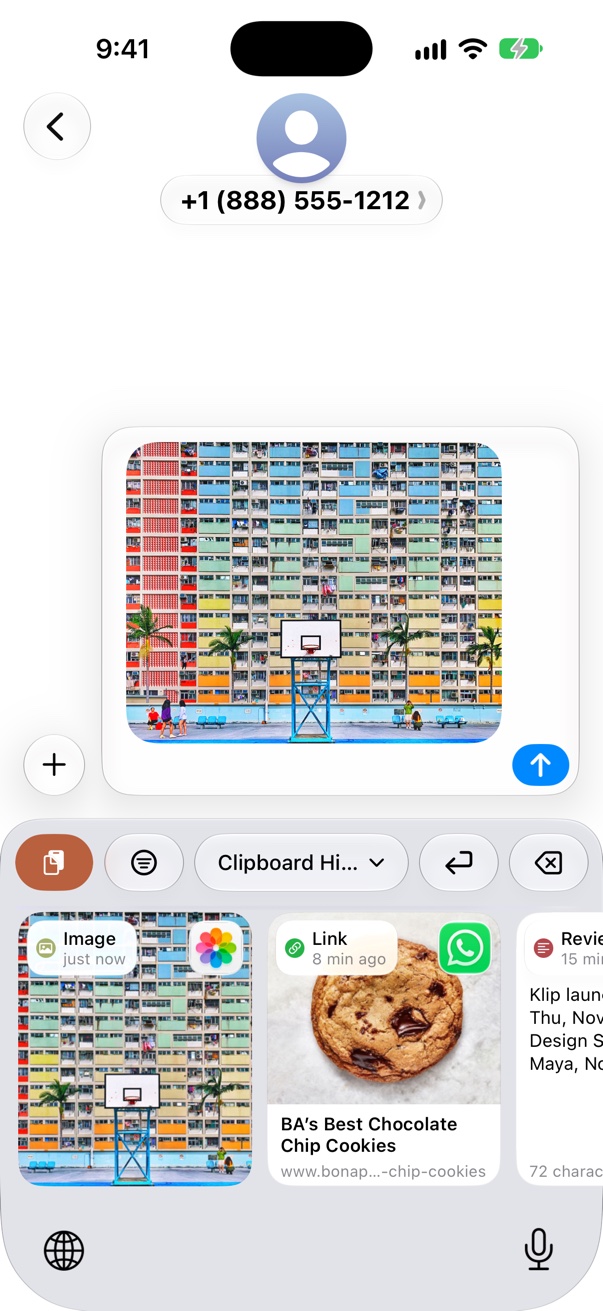
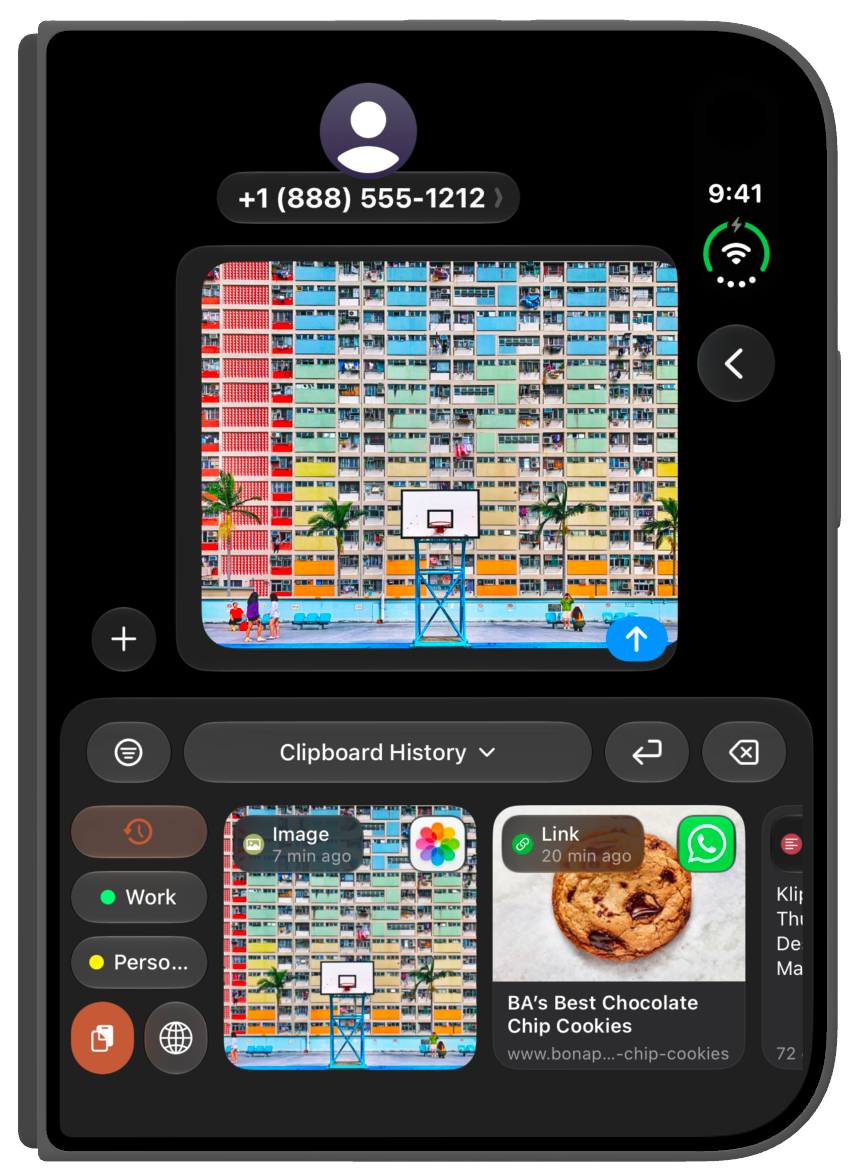
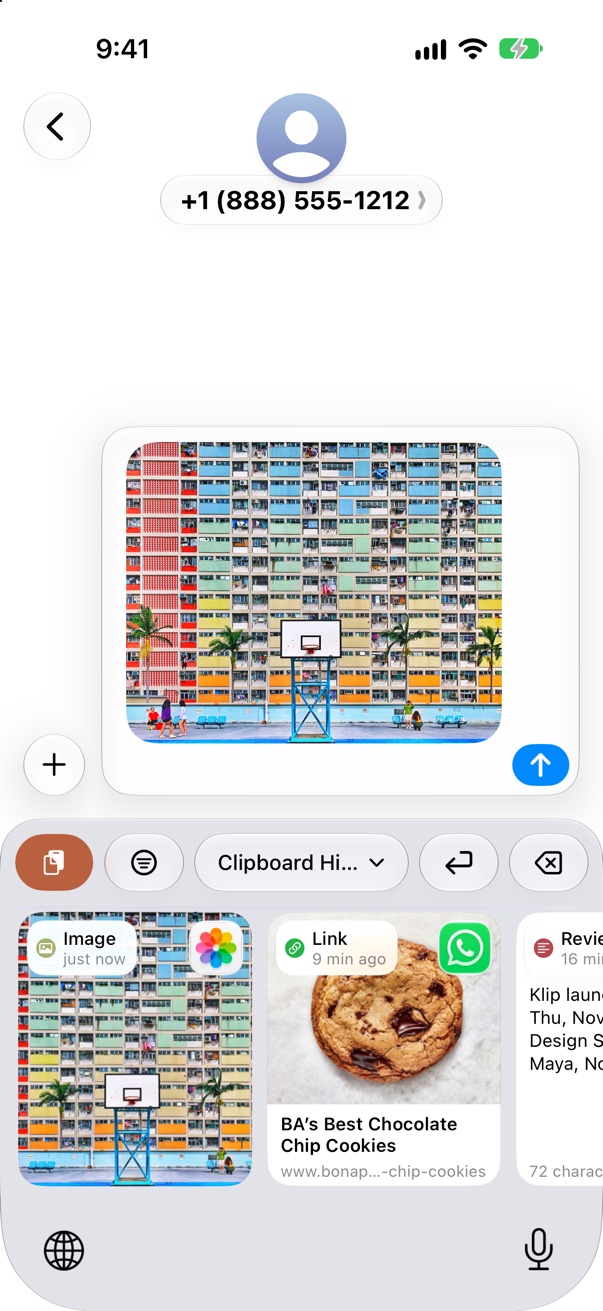
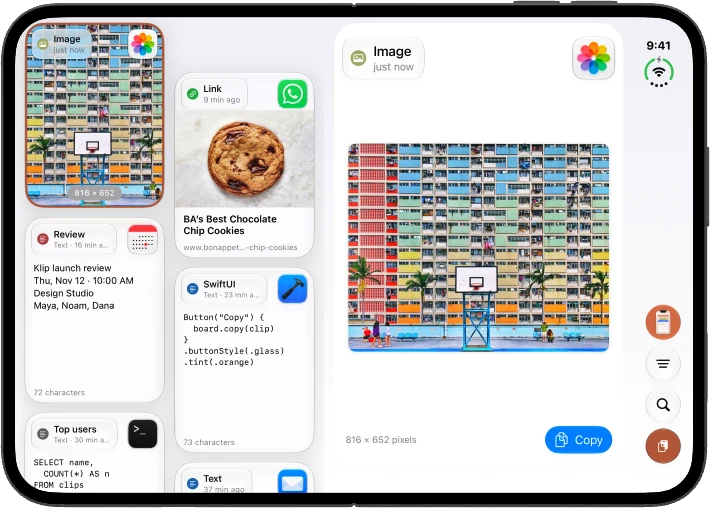
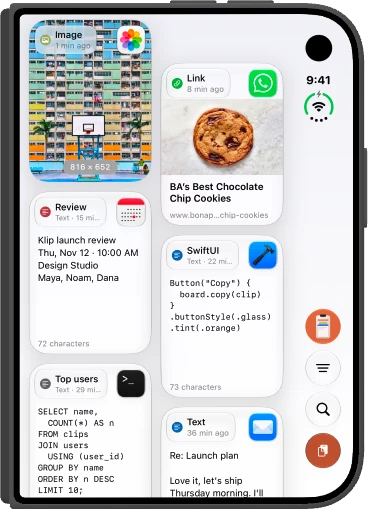
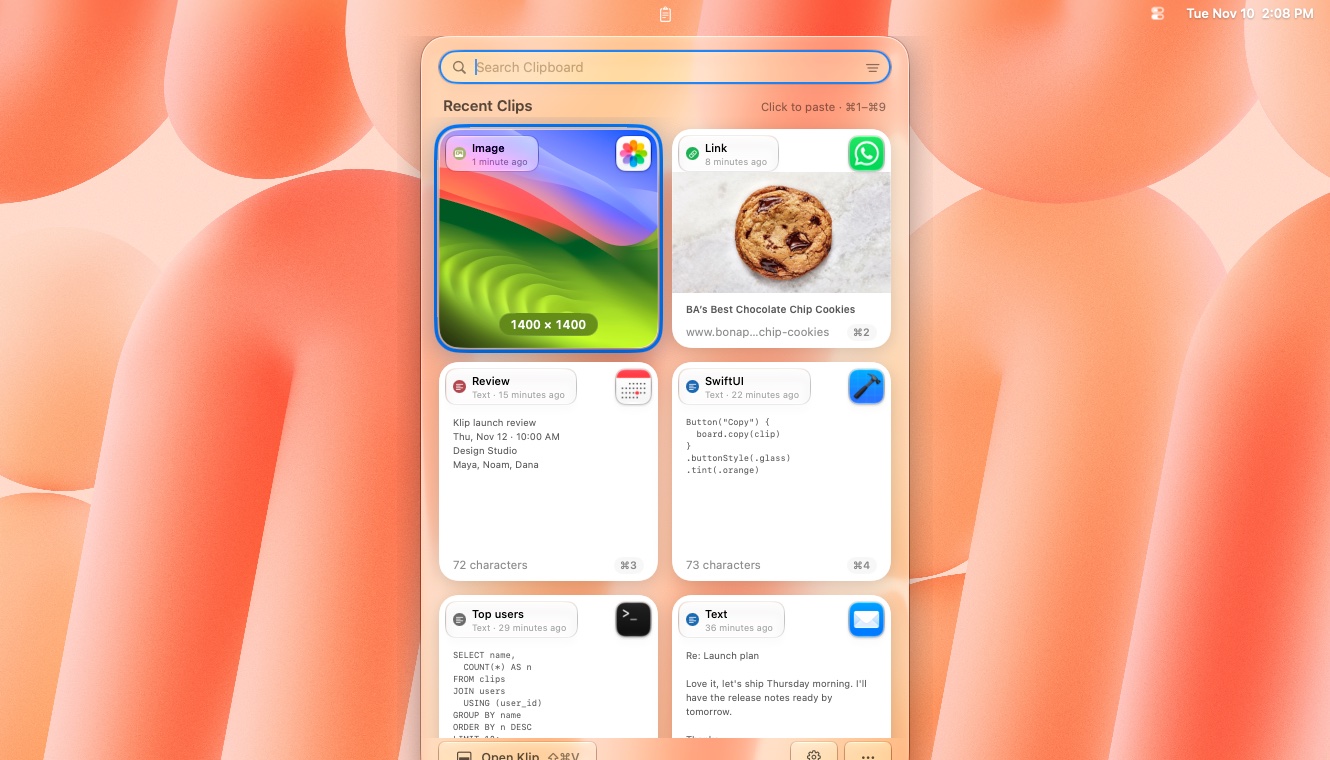
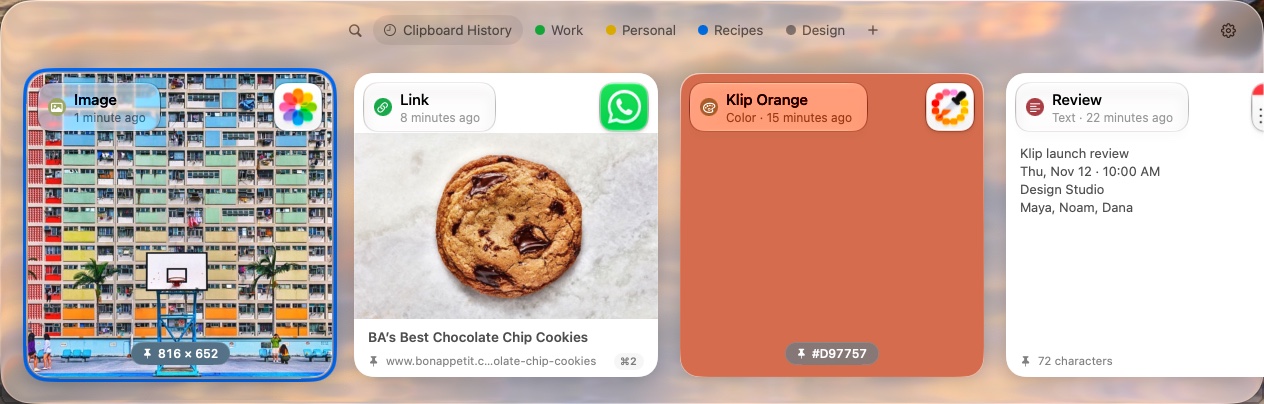
Press it in any app, and your latest copies rise from the bottom of the screen.


KlipLoft launch review
Thu, Nov 12 · 10:00 AM
Design Studio
Maya, Noam, Dana

BA’s Best Chocolate Chip Cookies

Button("Copy") {
board.copy(clip)
}
.buttonStyle(.glass)
.tint(.orange)

SELECT name, COUNT(*) AS n FROM clips JOIN users USING (user_id) GROUP BY name ORDER BY n DESC LIMIT 10;

Re: Launch plan
Love it, let’s ship Thursday morning. I’ll have the release notes ready by tomorrow.
Thanks,
Maya
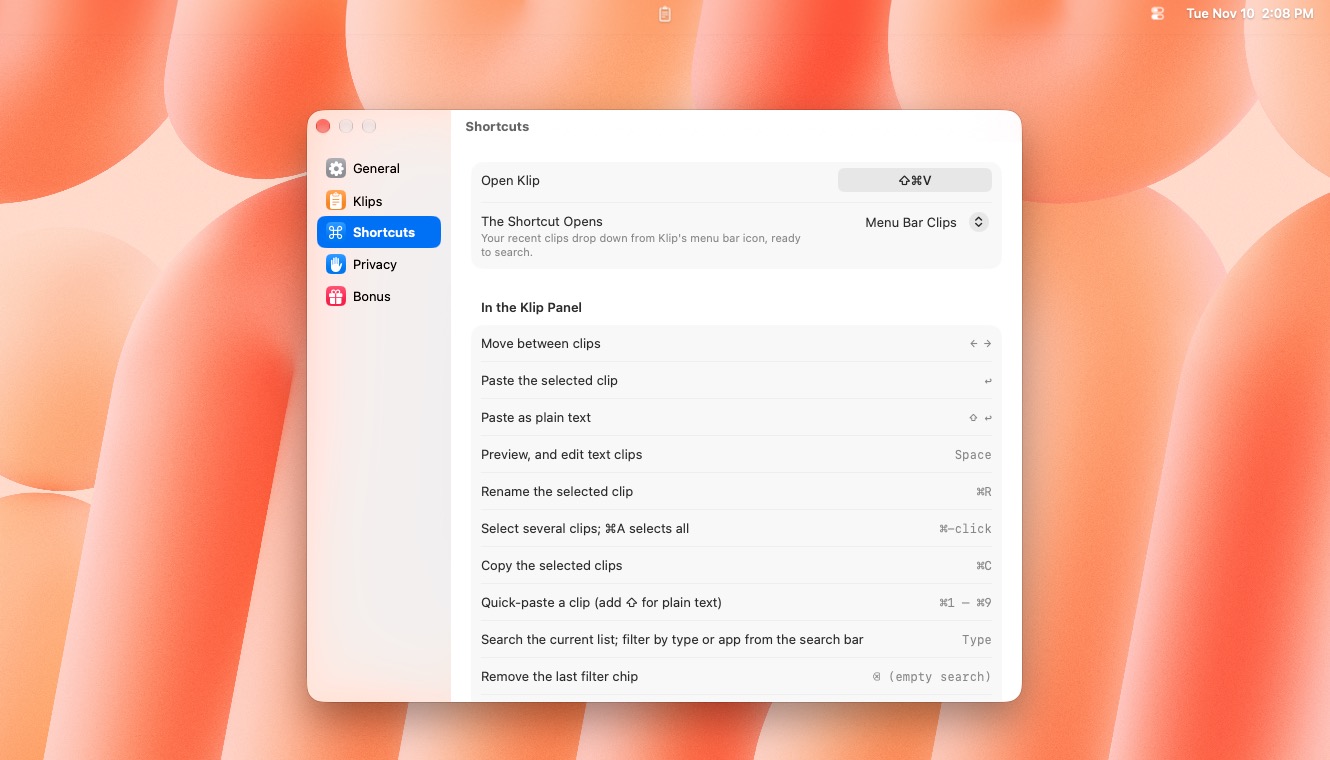
Press Return and it’s pasted right where your cursor is. Hold ⇧ for plain text.

Free clipboard history for Mac, iPhone and iPad. Everything you copy, back with ⇧⌘V.
brew install --cask ronier83/tap/kliploft100% free · no subscription · Mac: version 1.72
KlipLoft needs no permissions, unless you want it to paste for you. Here’s how that works.
See what KlipLoft doesPress ⇧⌘V anywhere. KlipLoft slides up from the bottom of the screen.
Copy as usual. This free clipboard manager keeps a visual history of every clip and pastes it straight back into the app you're using.
Pick a clip and press Return. KlipLoft pastes it right where your cursor is. Hold ⇧ to paste as plain text.
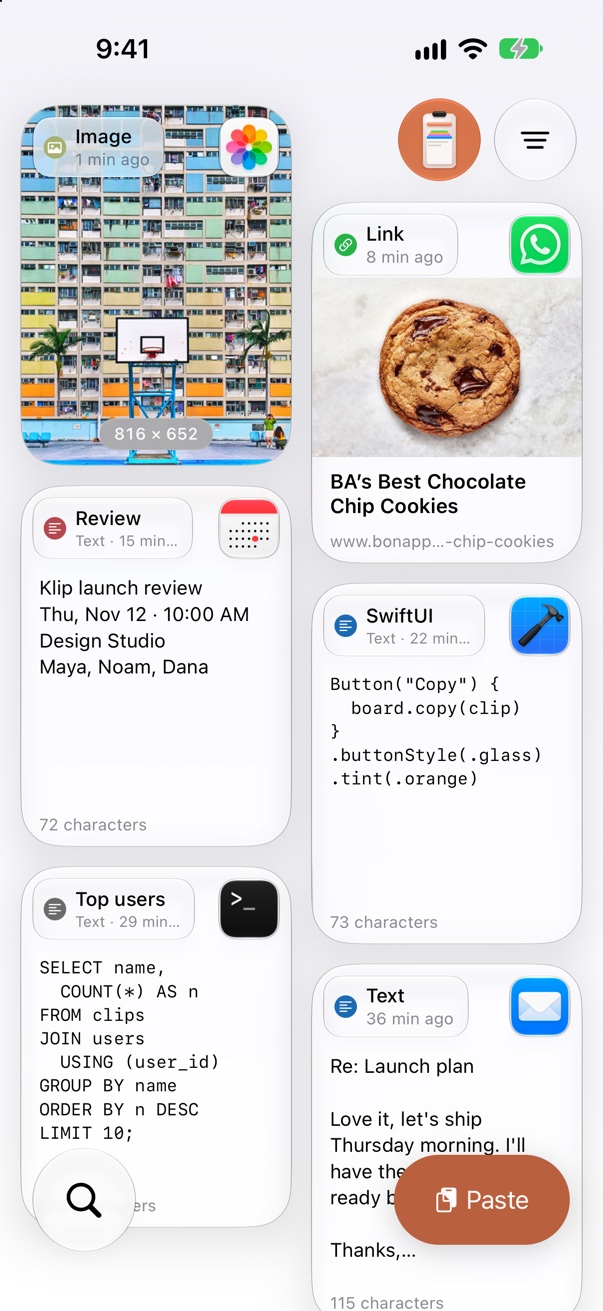
Text, rich text, links with page previews, images, files and hex colors, each shown the way it looks.
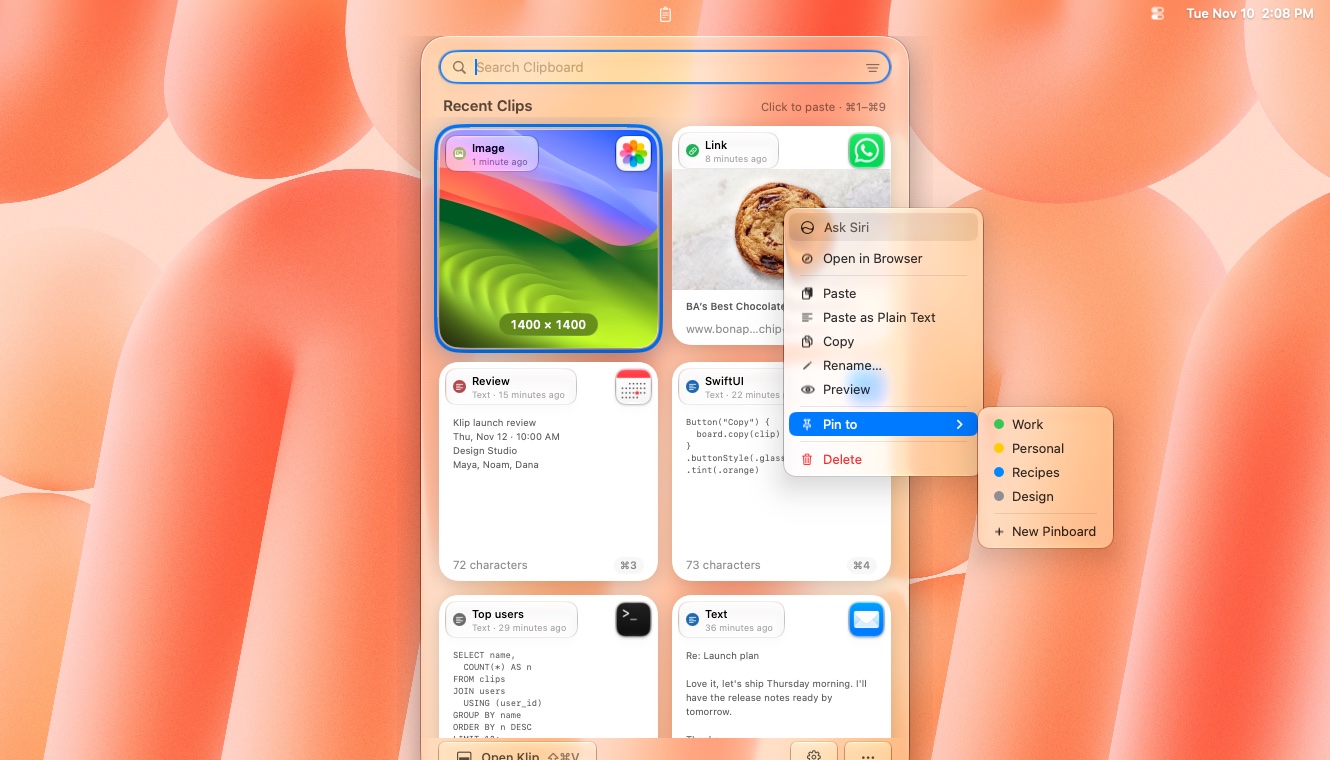
Pin the things you reuse, like signatures, addresses and code snippets, onto colored boards that never expire.
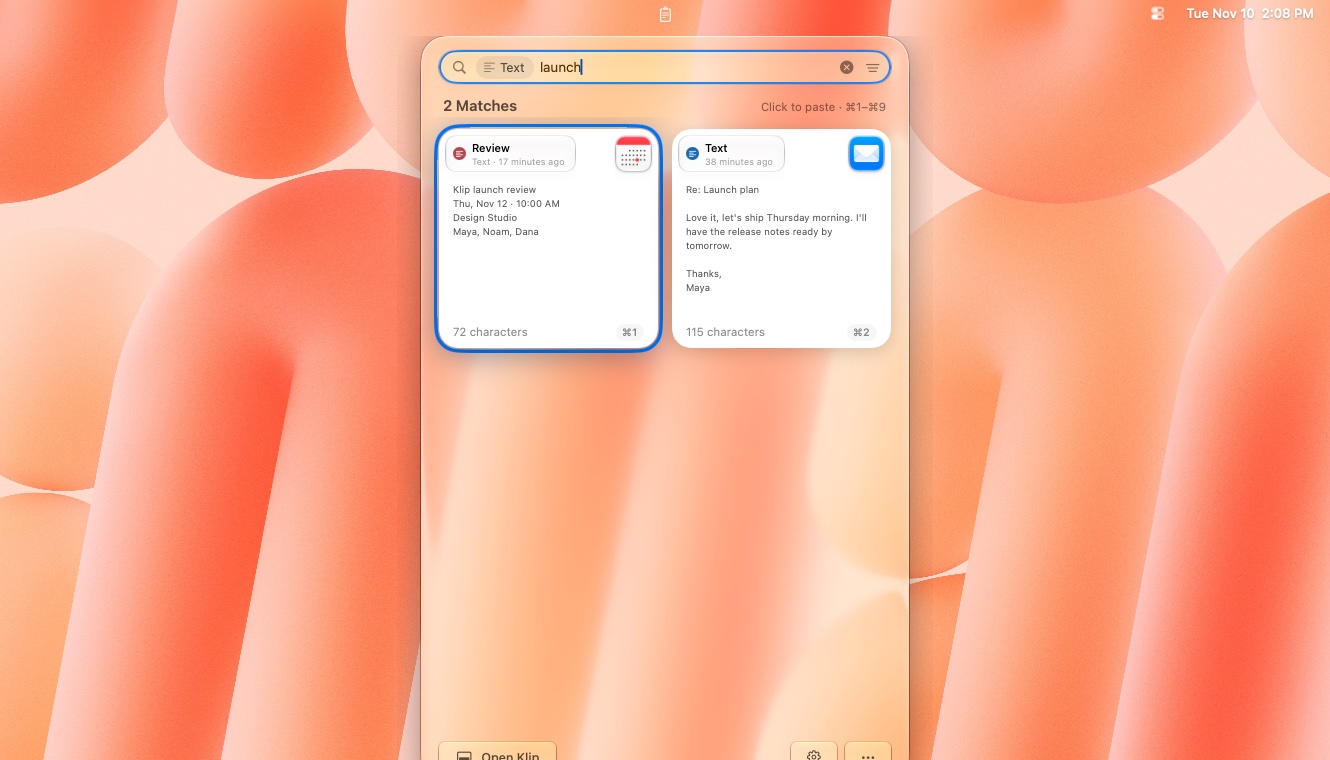
Just start typing. Narrow results by clip type or by the app you copied from.
Tag a clip with your own words, like “wifi” or “invoice”, and find it in a second by typing one. Keywords stay hidden from the card and sync with the clip.
Your history and pinboards follow you across your Macs through your private iCloud account.
⌘1–⌘9 pastes one of your latest clips without even looking.
Press Space for a big preview, or turn on press and hold in Settings: hold a card for a second to preview it, and let go to close. Edit text clips, rename them, or add keywords to find them later.
Coming from Paste? Bring your history and pinboards over in one click. Paste itself is never touched.
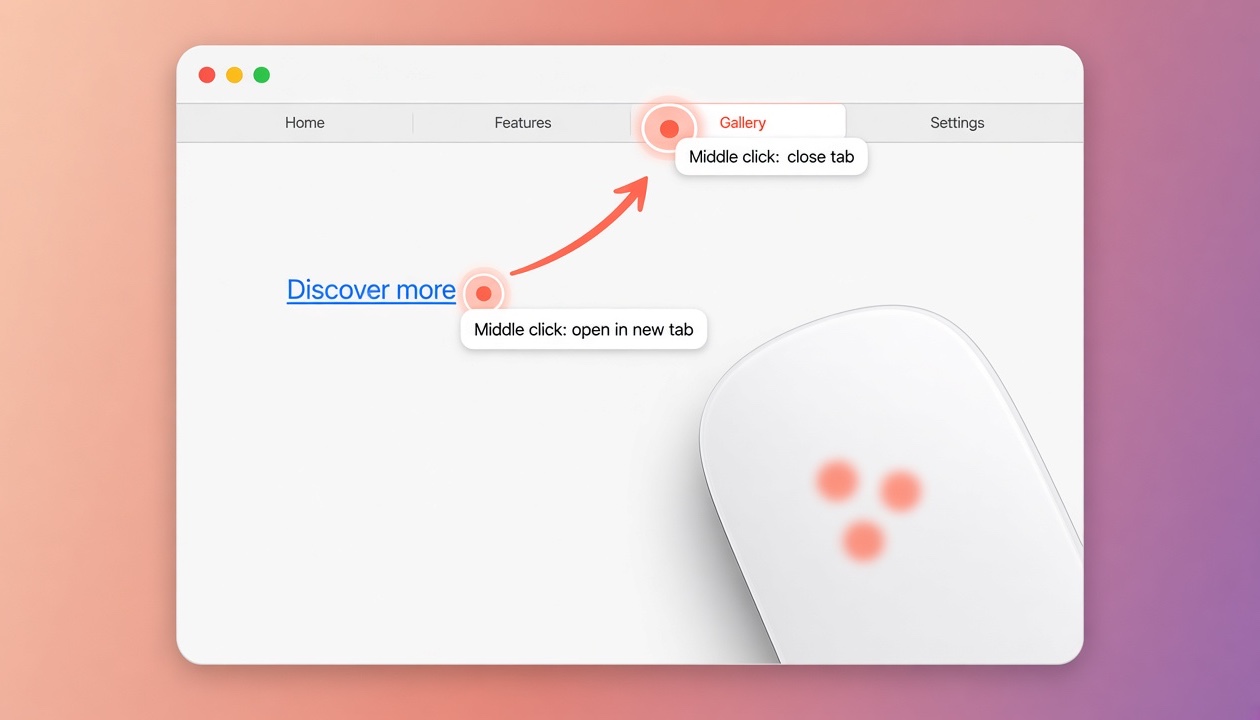
A bonus: a three-finger click on a Magic Mouse or trackpad becomes a middle click, so you can open links in new tabs or close tabs.
Turn it on in Settings, and every screenshot you take with ⇧⌘3, ⇧⌘4 or ⇧⌘5 goes straight to your clipboard and history, and is still saved as a file.
Resize the cards with a slider, pick Glass or Classic card designs, and give pinned clips their own emoji icon.
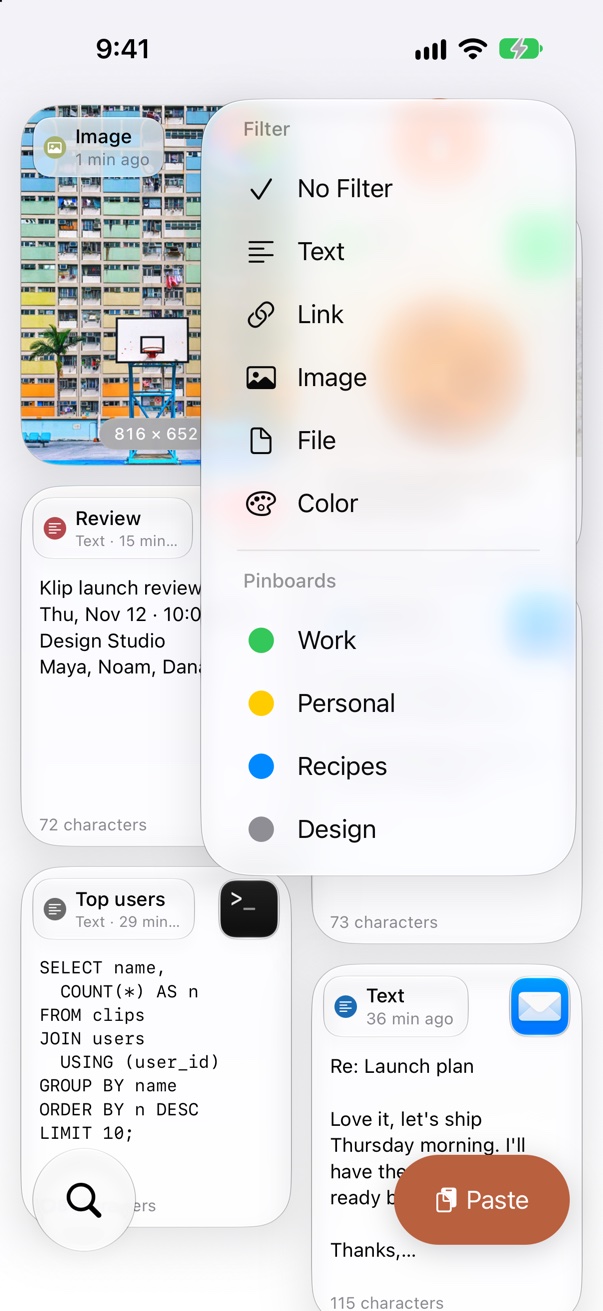
Hundreds of clips, and you need one. Filter by kind or by pinboard, and only what matters stays.
Clipboard History shows every clip you’ve copied, newest first.
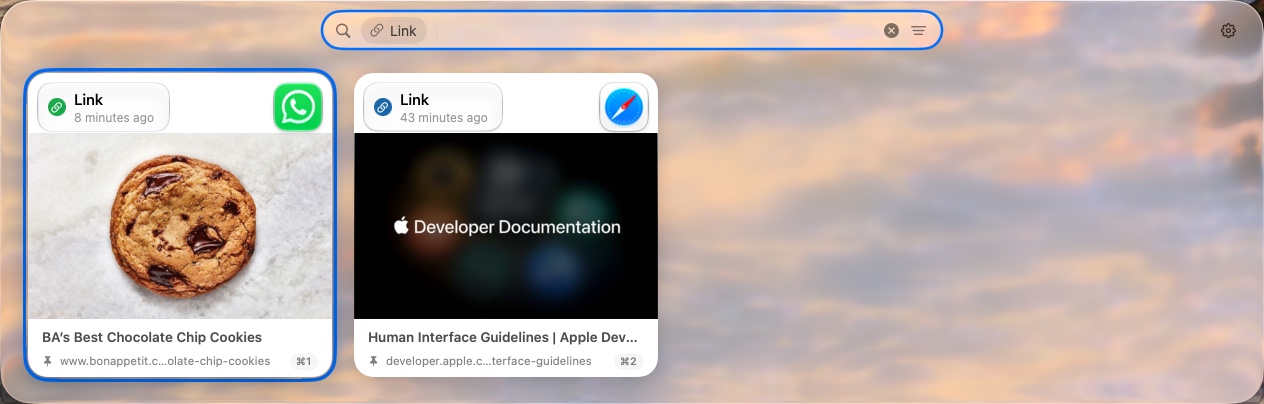
Click the filter button at the right of the search bar and choose Link. It stays as a chip until you clear it.
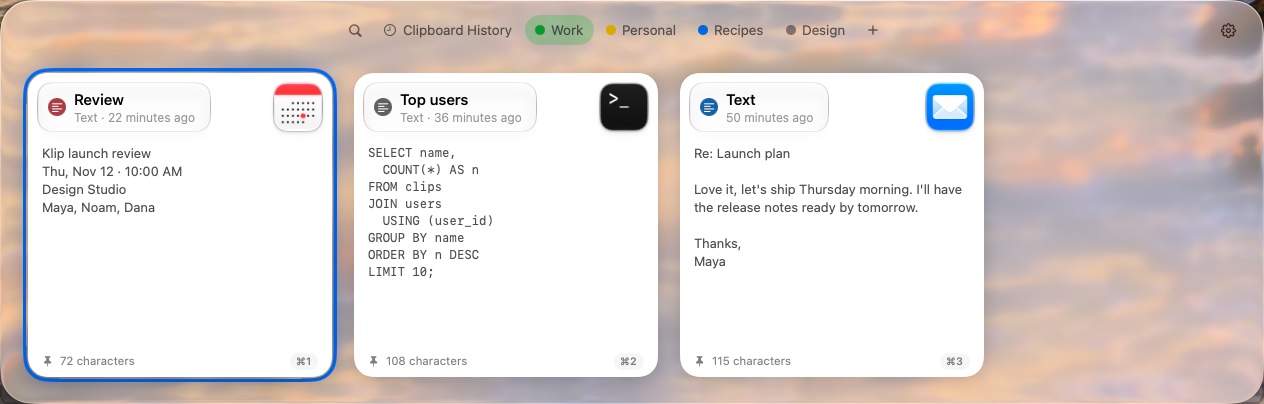
Click a pinboard tab, or press ⇥, to see only what you pinned there.
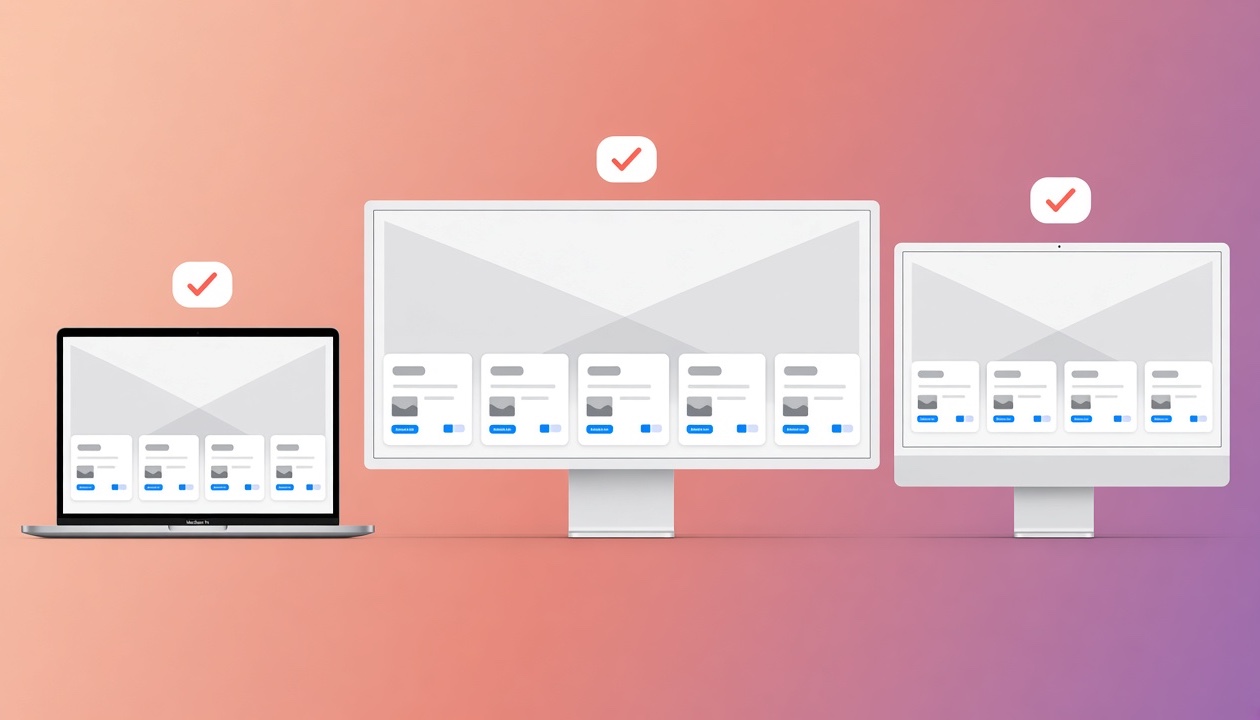
KlipLoft remembers the right card size for every screen you use. New in KlipLoft 1.72.
I work on my MacBook, a big ultrawide, and a lower-resolution LG at work, and kept resizing the cards every time I switched screens.
Now KlipLoft remembers Card Size and Font Size for each screen and resolution, and uses them the moment it opens there. Plug in a new screen and it’s added on its own. Fine-tune each one in Settings → Clips → Cards.
No new permission, and nothing running in the background.
You copy passwords, keys and private messages every day. KlipLoft is built so they stay yours. For Business & IT review · Privacy policy.
Copies from password managers, Apple’s Passwords app and browser password fillers are skipped automatically.
Turn it on and KlipLoft ignores anything that looks like a secret key, such as GitHub, AWS, OpenAI or Stripe keys.
Turn it on and a deleted clip’s contents are wiped from storage, not just removed from the list.
Pick apps KlipLoft should never record from. Keychain Access and Passwords are on the list from the start.
One switch keeps KlipLoft’s panel and previews off screen shares and recordings, so only you see your clips.
There are no KlipLoft servers. Your history lives on your Mac, iPhone and iPad, and no one else can see it.
Sync uses the private database in your own iCloud account. Even the developer of KlipLoft can’t access it.
No sign-in, no ads, no analytics and no crash reporters. Your data is never sold or shared.
Choose how long history is kept, delete any clip, or clear the last 24 hours or everything in one go.
400+ downloads
Free, no account, no subscription. Here’s what people are saying.
I can’t believe I was paying every month for a clipboard manager.
KlipLoft just saved me so much time managing my Airbnb.
None of these is a big deal on its own. They just happen ten times a day, and KlipLoft makes each one take a second.
You copied a link, then copied something else, and now you need the link again. Instead of going back to find it, it's right there in your history.
Copy five pieces from one document, then paste them one after another somewhere else. No jumping back and forth between windows for every item.
Terminal commands, a standard reply to an email, links you send every week. Pin them once and paste them in two keystrokes.
Universal Clipboard only carries the last thing you copied, and only for a short while. Copy three things on your iPhone and all three are waiting on your Mac.
The copy-to-clipboard screenshot shortcut keeps one image. Take another and the first is gone. With KlipLoft, every new screenshot goes to your clipboard and stays in your history.
Passwords, card numbers and form filling belong in your password manager. KlipLoft is for everything else you copy, and it skips copies from password managers.
Bonus features
Become a powerhouse Mac user with these optional extras. They’re not part of KlipLoft’s clipboard, and every one is off by default. KlipLoft never turns them on for you. Pick only the ones you want in Settings → Bonus, and turn them off again anytime.
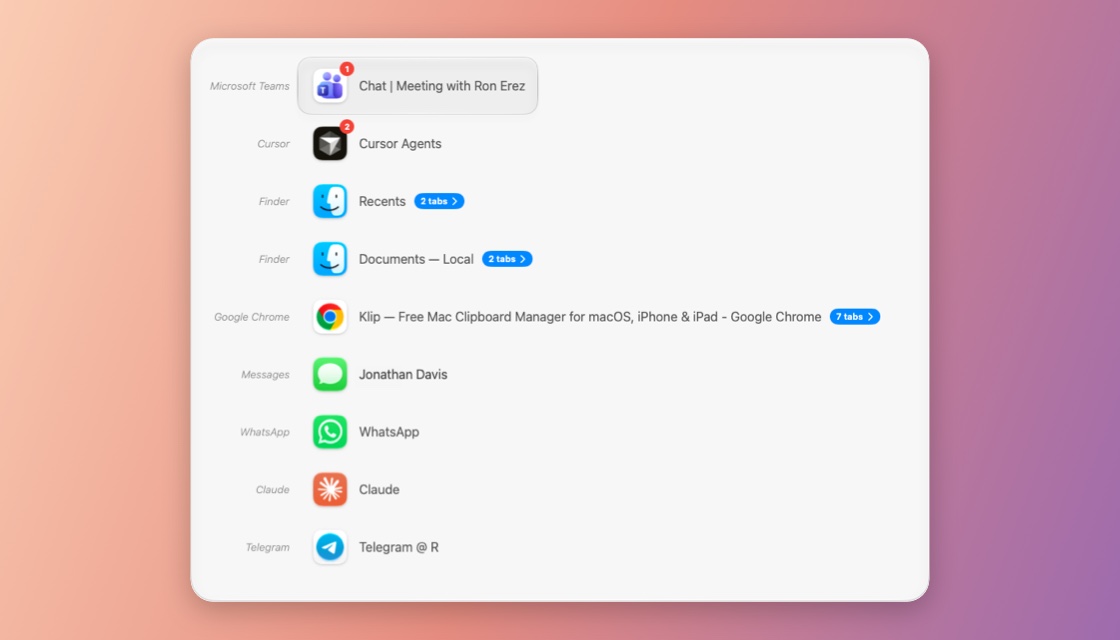
Every window, one shortcut. ⌘Tab only knows apps. Press ⌃1 to see every open window, full screen ones and other desktops too, most recent first, and even jump into a Safari, Chrome or Finder tab.Why I use it every day: with a dozen Chrome windows and Cursor projects open, it’s the fastest way back to the exact window I was in a minute ago.
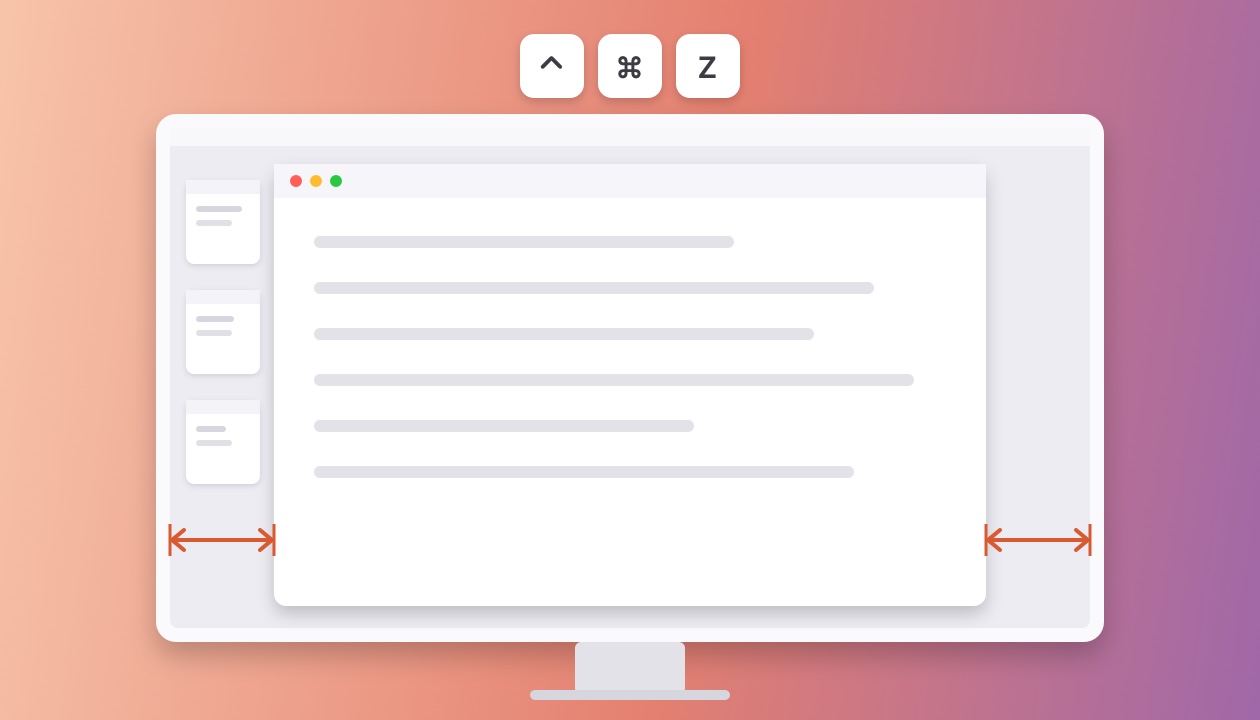
Your favorite size, perfectly centered. Press ⌃⌘Z and the window you’re using takes your favorite size, with the same gap on the left and the right. Each screen and resolution keeps its own size, so it fits whichever display you’re on. New in the KlipLoft 1.74 beta.Why I use it every day: I like my windows as big as they can be while Stage Manager still shows on the left, and it bugged me that the right side never matched. Now one press centers the window perfectly, on all three of my screens.
Miss Windows? Middle click is back. Click with three fingers on a Magic Mouse or trackpad to open a link in a new tab, or close a tab, in one click, just like the middle button on a PC mouse.Why I use it every day: I open links in new tabs all day while researching, and closing tabs with one click beats aiming for the tiny ×.
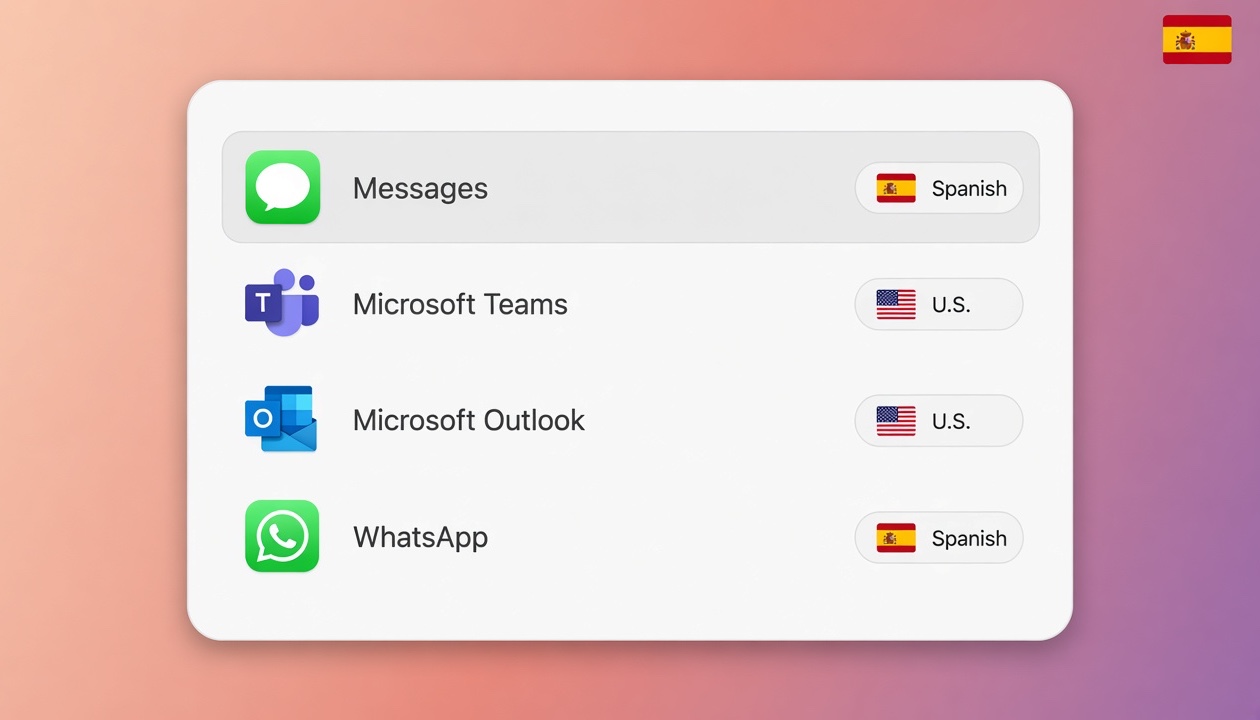
Bilingual? Each app gets its language. Give an app its own keyboard, and KlipLoft switches to it whenever that app comes to the front, with ⌘Tab, the window switcher or a click. Apps you don’t list are left alone, and it needs no permission.Why I use it every day: I write Hebrew in WhatsApp and English in Teams, Outlook and code, and I no longer type a whole line in the wrong language.
KlipLoft keeps getting better. Here are the latest highlights for Mac.
Press Space for a Mac-style preview with every detail about the clip on the side: the app it came from, when you copied it and more. Flip through clips with ← and →.
KlipLoft 1.65
Press ⌃1 to jump to any open window, full screen ones too, most recent first, and even into Safari, Chrome and Finder tabs. Turn it on in Settings → Bonus.
KlipLoft 1.63
KlipLoft can skip API keys and tokens you copy, and securely erase the clips you delete. Turn them on in Settings → Privacy.
KlipLoft 1.62
Download a free clipboard manager for Mac, iPhone, and iPad. No subscription, ever.
brew install --cask ronier83/tap/kliploft